Wednesday, August 19, 2026

How to Earn Money from Facebook Professional Mode in 2026


How to Earn Money from Facebook Professional Mode in 2026

Facebook has become more than a social networking platform. In 2026, creators can use Facebook Professional Mode to build a public audience, publish original content, and, when eligible, access Facebook’s monetization programs. Meta confirms that creators using professional profiles can access professional tools and monetization programs for eligible content.

However, turning on Professional Mode does not automatically mean you will start earning money. Monetization depends on your account’s eligibility, location, content, policy compliance, and the monetization products available to you.
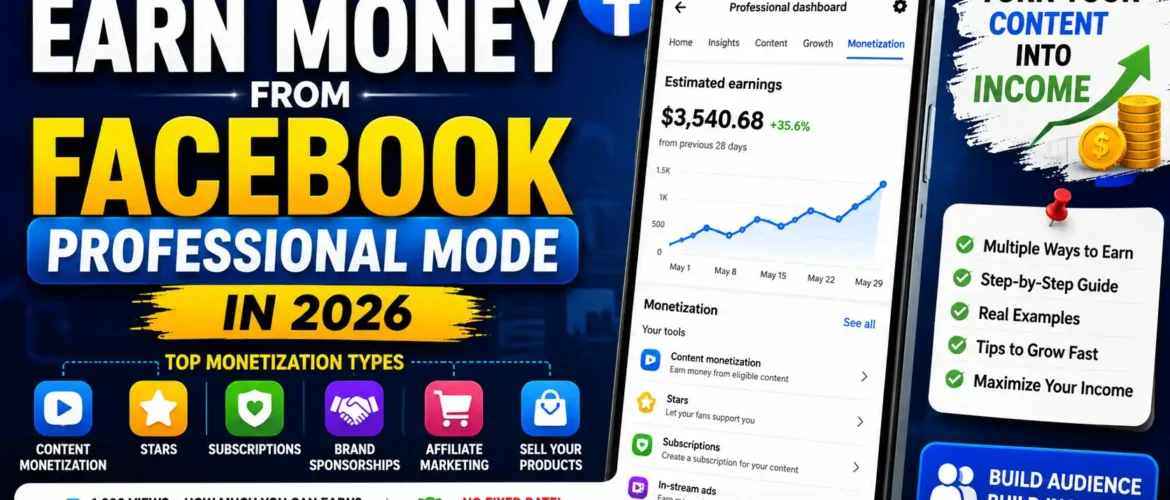


What Is Facebook Professional Mode?

Professional Mode is a creator-focused setting for a Facebook profile. Instead of creating a separate Facebook Page, you can continue using your profile while gaining access to professional tools.

These tools can include:

  • Professional Dashboard
  • Follower and audience insights
  • Content performance analytics
  • Monetization information
  • Creator tools
  • Opportunities to earn from eligible content

Meta provides a specific process for checking monetization eligibility through the Professional Dashboard or Meta Business Suite.

For a person who regularly creates Reels, videos, photos, Stories, or text content, Professional Mode can therefore become an important part of a creator’s business.

How Do You Make Money With Facebook Professional Mode?

1. Facebook Content Monetization

One of the most important opportunities is Facebook Content Monetization.

Meta’s creator information states that eligible creators can earn from different content formats, including Reels, photos, Stories, and text posts.

This means you don’t necessarily have to depend only on long-form videos.

For example, imagine you create a digital marketing profile.

You publish:

“5 Free SEO Tools Every Business Owner Should Know”

The Reel receives 100,000 views.

If your account is eligible and the content generates monetizable results, Facebook may generate revenue from the eligible content. The amount is not guaranteed simply because the video received 100,000 views.

2. Facebook Reels

Reels are particularly useful for growing an audience because short-form content can reach people who don’t already follow you.

Good Reel topics include:

  • Digital marketing tips
  • AI tools
  • Fitness tips
  • Cooking
  • Education
  • Technology
  • Business ideas
  • Motivation
  • Entertainment
  • Travel
  • Tutorials

For example:

Hook: “Your website isn’t ranking on Google? Check these 3 things.”

Then provide three useful tips and finish with:

“Follow for more SEO tips.”

The objective isn’t simply to collect views. You want viewers to become followers and eventually customers or supporters.

How Much Does Facebook Pay for 1,000 Views?

This is one of the biggest questions new creators ask.

The important answer is:

There is no fixed Facebook payment for every 1,000 views.

You should not assume that:

1,000 views = ₹X

for every creator.

Revenue can vary depending on factors such as the monetization program, eligible/monetized impressions, audience, content performance, advertiser demand and other factors.

Also, 1,000 views do not necessarily mean 1,000 monetized ad impressions.

Therefore, websites or videos claiming that Facebook always pays a specific fixed amount for 1,000 views should be treated cautiously.

Example Calculation

Suppose, purely as a mathematical example, a creator’s effective revenue were ₹50 per 1,000 monetized impressions.

Then:

Monetized impressionsHypothetical revenue
1,000₹50
10,000₹500
100,000₹5,000
500,000₹25,000
1,000,000₹50,000

These numbers are examples, not Facebook’s guaranteed rates.

Your actual earnings could be higher or lower.

The best way to understand your actual performance is to monitor the monetization information available in your Professional Dashboard.

3. Stars

Another potential income source is Facebook Stars, where eligible creators can receive support from their audience.

Stars can be particularly useful for creators who regularly interact with followers through:

  • Facebook Live
  • Gaming
  • Educational sessions
  • Q&A sessions
  • Entertainment
  • Community content

For example, a digital marketing creator could conduct:

“Free SEO Q&A – Ask Me Anything”

during a Live session.

If eligible viewers support the creator with Stars, this can become another revenue stream.

4. Subscriptions

Eligible creators may also be able to offer subscriptions.

For example:

Free Followers

  • Public Reels
  • Regular posts
  • Basic tips

Paid Subscribers

  • Exclusive videos
  • Premium tutorials
  • Subscriber-only posts
  • Special Q&A sessions
  • Additional resources

Suppose, hypothetically, 500 subscribers pay ₹99 per month:

500 × ₹99 = ₹49,500

That is a simple gross-revenue example before applicable fees, taxes, refunds or other deductions.

Availability and terms depend on the features offered to your account.

5. Brand Sponsorships

You don’t have to depend entirely on Facebook’s own monetization.

Once you develop a valuable audience, companies may pay you to promote their products or services.

For example, a creator with a digital marketing audience could partner with:

  • SEO software companies
  • Website hosting companies
  • AI tool companies
  • Marketing agencies
  • Training companies
  • Business software companies

A sponsored Reel might say:

“3 AI Tools That Can Save Digital Marketers Hours Every Week.”

The company pays the creator for the agreed promotional campaign.

This is especially useful because a smaller but highly targeted audience can sometimes be more valuable to a business than a huge audience with little relevance.

6. Affiliate Marketing

Affiliate marketing is another way to turn Facebook traffic into income.

Suppose you create:

“Top 5 SEO Tools for Beginners.”

You recommend five products and use approved affiliate links.

Imagine:

  • 1,000 people click
  • 50 people purchase
  • Average commission = ₹500

Your hypothetical commission:

50 × ₹500 = ₹25,000

This income comes from the affiliate program, not directly from Facebook’s view payment.

Always follow applicable disclosure and platform rules when promoting affiliate products.

7. Sell Your Own Products and Services

For businesses and professionals, this can be even more powerful than advertising revenue.

For example, a digital marketing trainer could use Facebook Professional Mode to promote:

  • Digital Marketing Courses
  • SEO Courses
  • Google Ads Services
  • Social Media Marketing
  • Website Development
  • SEO Consulting
  • Content Marketing
  • Graphic Design Services

Example

A Reel receives only 20,000 views.

From those views:

  • 500 people visit your profile
  • 100 people send enquiries
  • 20 people attend a webinar
  • 5 people purchase a ₹10,000 course

Revenue:

5 × ₹10,000 = ₹50,000

In this example, the creator’s biggest opportunity isn’t the direct Facebook view revenue. It is converting the audience into customers.

8. Facebook Live

Live video can help creators build trust and community.

For example:

Every Saturday – Digital Marketing Live Q&A

You could answer questions about:

  • SEO
  • Google Ads
  • Instagram marketing
  • Facebook marketing
  • WordPress
  • AI tools

Depending on the features available to your account, Live content can support monetization through eligible tools such as Stars, subscriptions, sponsorships or sales.

What Determines Facebook Earnings?

Your revenue can vary because of several factors.

Audience Location

Advertiser demand differs between countries and audiences.

Content Quality

Useful, original and engaging content is generally a better foundation for long-term growth than copied or low-value content.

Watch Time and Engagement

Strong viewer retention, shares, comments and repeat viewers can help build a more valuable audience.

Content Category

Different niches can attract different levels of advertiser interest.

Monetization Eligibility

Having 10,000 followers or millions of views does not automatically guarantee access to every monetization feature. Your specific Professional Dashboard is the best place to check your eligibility.

Policy Compliance

Meta says content must meet its monetization policies to qualify for certain monetization products.

How to Start Facebook Professional Mode

If Professional Mode is available on your profile, the general process is:

  1. Open your Facebook profile.
  2. Find the option to turn on Professional Mode.
  3. Enable Professional Mode.
  4. Complete your professional profile.
  5. Select a clear content niche.
  6. Start publishing original content.
  7. Build followers and engagement.
  8. Open the Professional Dashboard.
  9. Check the Monetization section.
  10. Review any eligibility requirements.
  11. Complete payout information when Facebook makes it available.
  12. Continue creating policy-compliant content.

Meta provides tools to check whether a Facebook profile or Page is eligible for monetization.

How to Grow Faster

If you are starting from zero, don’t post random content.

Choose one niche.

For example:

Digital Marketing + AI + SEO

Then create a content schedule:

Monday: SEO Tip
Tuesday: AI Tool
Wednesday: Digital Marketing Tutorial
Thursday: Facebook/Instagram Marketing Tip
Friday: Case Study
Saturday: Live Q&A
Sunday: Weekly Marketing Update

You can also repurpose a single topic into multiple formats.

For example:

Topic: “Keyword Research”

Create:

  • 30-second Reel
  • 2-minute video
  • Text post
  • Infographic
  • Story poll
  • Live Q&A

This gives you multiple opportunities to reach your audience.

Avoid Fake Views and Followers

Don’t try to shortcut growth with:

  • Purchased followers
  • Fake views
  • Bots
  • Engagement manipulation
  • Copyrighted videos
  • Re-uploaded content without meaningful originality
  • Misleading content

Build a genuine audience instead.

The goal should be:

Content → Views → Followers → Trust → Enquiries → Customers → Revenue

A Realistic Facebook Income Strategy

Don’t depend on one income source.

A creator could build this model:

Stage 1 – 0 to 1,000 followers
Focus mainly on quality content and audience growth.

Stage 2 – 1,000 to 10,000 followers
Experiment with different formats and build a recognizable niche.

Stage 3 – 10,000+ followers
Explore eligible Facebook monetization features, affiliate marketing, sponsorships, and product/service sales.

Stage 4 – Established audience
Build multiple income streams instead of relying exclusively on Facebook’s advertising revenue.

Final Conclusion

Facebook Professional Mode can be a powerful opportunity for creators and businesses in 2026. Meta provides professional tools for profiles and monetization opportunities for eligible content, while Facebook Content Monetization supports multiple content formats.

But the most important lesson is:

Don’t chase views alone. Build an audience and a business.

Your potential income can come from:

  1. Facebook Content Monetization
  2. Reels and eligible video content
  3. Stars
  4. Subscriptions
  5. Brand sponsorships
  6. Affiliate marketing
  7. Courses
  8. Products
  9. Services
  10. Consulting

And remember: there is no guaranteed fixed amount that Facebook pays for 1,000 views. Actual monetization depends on your eligible monetization features and performance.

If your goal is to earn ₹50,000, ₹1 lakh or more per month, a better strategy is to combine Facebook monetization with sponsorships, affiliate income and your own products or services rather than depending only on ad revenue.

Check your Professional Dashboard regularly, because Facebook’s available monetization features and eligibility requirements can change. Meta’s official resources provide the current eligibility and policy information.

Join Facebook Course 

Tuesday, June 9, 2026

Affordable digital marketing courses for beginners in India?


Affordable Digital Marketing Courses for Beginners in India (2026 Guide)

Digital marketing has become one of the most in-demand skills in India. Whether you're a student, job seeker, entrepreneur, freelancer, or working professional, learning digital marketing can open doors to exciting career opportunities and business growth.

The good news is that you don't need to spend lakhs of rupees to get started. There are several affordable digital marketing courses in India that provide practical training, certifications, and placement assistance.

Why Learn Digital Marketing?

Digital marketing helps businesses reach customers online through search engines, social media, websites, email marketing, and paid advertising. As more companies move online, the demand for skilled digital marketers continues to grow.

Benefits of Learning Digital Marketing

  • High-demand career opportunities
  • Freelancing and work-from-home options
  • Better salary packages
  • Business growth for entrepreneurs
  • Global job opportunities
  • No coding background required for beginners

What Should Beginners Look for in a Digital Marketing Course?

Before enrolling in a course, consider the following factors:

1. Industry-Relevant Curriculum

Choose a course that covers:

  • SEO (Search Engine Optimization)
  • Google Ads
  • Social Media Marketing
  • Content Marketing
  • Email Marketing
  • Analytics
  • AI Tools for Marketing
  • Website Creation

2. Practical Training

Hands-on projects and live campaigns help students gain real-world experience.

3. Certification

Look for programs that provide recognized certifications and industry exposure.

4. Placement Support

A good institute should offer resume building, interview preparation, and job assistance.

5. Affordable Fees

The course should offer value for money without compromising quality.

Top Affordable Digital Marketing Courses for Beginners in India

1. Kingofseo Digital Marketing Course

Kingofseo Digital Marketing Course

Kingofseo offers beginner-friendly digital marketing training with practical sessions, live projects, and placement support. Students learn the latest marketing strategies along with AI-powered tools used by modern marketers.

Key Highlights:

  • SEO Training
  • Google Ads
  • Social Media Marketing
  • Content Marketing
  • WordPress Website Development
  • AI Marketing Tools
  • Live Projects
  • Placement Assistance
  • Affordable Fee Structure

2. Google Digital Garage

Google's free digital marketing fundamentals course is ideal for beginners who want to understand the basics of online marketing.

Best For:

  • Students
  • Beginners
  • Entrepreneurs

3. HubSpot Academy

HubSpot offers free certifications in content marketing, inbound marketing, social media marketing, and email marketing.

Best For:

  • Content creators
  • Marketing beginners
  • Freelancers

4. Coursera Digital Marketing Courses

Coursera provides affordable digital marketing programs from leading universities and industry experts.

Best For:

  • Professional certification
  • Flexible learning

5. Udemy Digital Marketing Courses

Udemy frequently offers discounts on digital marketing courses, making it one of the most budget-friendly learning platforms.

Best For:

  • Self-paced learning
  • Budget-conscious learners

Career Opportunities After Completing a Digital Marketing Course

After gaining digital marketing skills, you can apply for roles such as:

  • SEO Executive
  • Social Media Executive
  • Google Ads Specialist
  • Content Marketer
  • Email Marketing Executive
  • Digital Marketing Executive
  • Performance Marketer
  • Freelance Digital Marketer
  • Digital Marketing Analyst

Average Salary for Beginners in India

Job RoleAverage Salary (Per Year)
SEO Executive₹2.5 – ₹4.5 LPA
Digital Marketing Executive₹3 – ₹6 LPA
Social Media Executive₹2.5 – ₹5 LPA
Google Ads Specialist₹4 – ₹8 LPA
Performance Marketer₹5 – ₹10 LPA

Salary may vary based on location, skills, certifications, and experience.

How to Choose the Right Course?

Ask these questions before enrolling:

✅ Does the course include practical projects?
✅ Are trainers industry experts?
✅ Is placement support available?
✅ Does the curriculum cover AI tools?
✅ Are certifications provided?
✅ Is the fee affordable for beginners?

Conclusion

Digital marketing is one of the best career choices for beginners in India. With affordable training options, practical learning opportunities, and strong job demand, anyone can start a successful digital marketing career. Choose a course that offers hands-on experience, updated curriculum, and placement support to maximize your career growth.

Ready to start your digital marketing journey? Invest in the right training program today and build skills that are in demand across every industry.

Tuesday, May 26, 2026

100 SEO Questions and Answers


1. What is SEO?

SEO (Search Engine Optimization) is the process of improving a website’s visibility in search engines like Google and Bing to get organic traffic.


Enroll SEO Course 

2. Why is SEO important?

SEO helps websites rank higher, increase traffic, generate leads, and improve brand visibility without paid ads.

3. What are the types of SEO?

  • On-page SEO
  • Off-page SEO
  • Technical SEO
  • Local SEO
  • E-commerce SEO


4. What is On-page SEO?

Optimizing website content, titles, meta tags, images, and internal links.

5. What is Off-page SEO?

Activities done outside the website like backlinks, guest posting, and social sharing.

6. What is Technical SEO?

Improving technical aspects like site speed, crawlability, indexing, and mobile friendliness.

7. What is Local SEO?

Optimizing business visibility for local searches such as “near me” queries.

8. What is a keyword?

A word or phrase users type into search engines.

9. What is keyword research?

Finding the best keywords users search for related to your business.

10. What are short-tail keywords?

Broad keywords with high search volume like “SEO tools”.

11. What are long-tail keywords?

Specific search phrases like “best SEO tools for beginners”.

12. What is keyword difficulty?

A score showing how hard it is to rank for a keyword.

13. What is search intent?

The reason behind a user’s search query.

14. What are meta titles?

HTML title tags shown in search results.

15. What is a meta description?

A short summary displayed below the title in search results.

16. What is CTR?

CTR (Click Through Rate) is the percentage of users clicking your result.

17. What is SERP?

SERP means Search Engine Results Page.

18. What is indexing?

When search engines store webpage information in their database.

19. What is crawling?

Search engines scanning websites using bots.

20. What is Googlebot?

Google’s web crawler used for indexing pages.

21. What is a sitemap?

An XML file listing website pages for search engines.

22. What is robots.txt?

A file telling search engines which pages to crawl or avoid.

23. What is a canonical URL?

A tag that tells search engines the original version of a page.

24. What is duplicate content?

Identical or very similar content appearing on multiple URLs.

25. What are backlinks?

Links from other websites pointing to your website.

26. Why are backlinks important?

They improve authority and search rankings.

27. What is domain authority?

A score predicting a website’s ranking strength.

28. What is page authority?

A score measuring the ranking ability of a webpage.

29. What is anchor text?

Clickable text used in hyperlinks.

30. What is internal linking?

Linking one page of a website to another page on the same website.

31. What is external linking?

Links pointing to other websites.

32. What is nofollow link?

A link instructing search engines not to pass authority.

33. What is dofollow link?

A normal link that passes SEO value.

34. What is link building?

The process of acquiring backlinks.

35. What is guest posting?

Writing articles for another website to gain exposure and backlinks.

36. What is broken link building?

Finding broken links and replacing them with your content.

37. What is page speed?

The loading time of a webpage.

38. Why is page speed important?

Faster websites improve rankings and user experience.

39. What is mobile SEO?

Optimizing websites for mobile devices.

40. What is responsive design?

A design adapting to all screen sizes.

41. What is Core Web Vitals?

Google metrics measuring page experience.

42. What is LCP?

Largest Contentful Paint measures loading performance.

43. What is CLS?

Cumulative Layout Shift measures visual stability.

44. What is INP?

Interaction to Next Paint measures responsiveness.

45. What is HTTPS?

Secure website protocol using SSL certificates.

46. What is SSL?

Security technology encrypting website data.

47. What is bounce rate?

Percentage of visitors leaving after viewing one page.

48. What is dwell time?

The time users spend on a webpage before returning to search results.

49. What is organic traffic?

Visitors coming from unpaid search results.

50. What is paid traffic?

Visitors coming through advertisements.

51. What is white hat SEO?

SEO practices following search engine guidelines.

52. What is black hat SEO?

Manipulative SEO practices violating guidelines.

53. What is gray hat SEO?

SEO methods between white hat and black hat.

54. What is keyword stuffing?

Overusing keywords unnaturally in content.

55. What is cloaking?

Showing different content to users and search engines.

56. What is schema markup?

Structured data helping search engines understand content.

57. What are rich snippets?

Enhanced search results with extra details like ratings.

58. What is alt text?

Image description used for accessibility and SEO.

59. What is image SEO?

Optimizing images for search engines.

60. What is video SEO?

Optimizing videos for better search visibility.

61. What is YouTube SEO?

Optimizing videos on YouTube for rankings and views.

62. What is E-E-A-T?

Experience, Expertise, Authoritativeness, and Trustworthiness.

63. What is content marketing?

Creating valuable content to attract audiences.

64. What is evergreen content?

Content that remains useful for a long time.

65. What is pillar content?

Comprehensive content covering a broad topic.

66. What is topic cluster?

Related content linked around a main topic.

67. What is SEO audit?

Analyzing a website’s SEO performance and issues.

68. What is competitor analysis?

Studying competitors’ SEO strategies.

69. What is local citation?

Business mentions with name, address, and phone number.

70. What is Google Business Profile?

A free business listing platform from Google.

71. Why is Google Business Profile important?

It improves local visibility and map rankings.

72. What is NAP in SEO?

Name, Address, and Phone Number consistency.

73. What is voice search SEO?

Optimizing for voice assistant searches.

74. What is featured snippet?

A highlighted answer shown at the top of search results.

75. What is zero-click search?

Search results where users get answers without clicking.

76. What is SEO-friendly URL?

A clean and readable webpage URL.

77. What is breadcrumb navigation?

A navigation trail showing page hierarchy.

78. What is pagination?

Dividing content across multiple pages.

79. What is redirect?

Automatically sending users from one URL to another.

80. What is a 301 redirect?

Permanent redirect passing SEO value.

81. What is a 302 redirect?

Temporary redirect.

82. What is crawl budget?

The number of pages search engines crawl on a website.

83. What is thin content?

Low-quality pages with little useful information.

84. What is duplicate meta title?

Same title tag used on multiple pages.

85. What is keyword cannibalization?

Multiple pages competing for the same keyword.

86. What is XML sitemap submission?

Submitting sitemap files to search engines.

87. What is Google Search Console?

A free SEO tool from Google for monitoring website performance.

88. What is Google Analytics?

A website traffic analysis tool by Google.

89. What is Bing Webmaster Tools?

SEO tool from Microsoft for Bing search optimization.

90. What is Ahrefs?

Ahrefs is an SEO tool for backlinks and keyword research.

91. What is SEMrush?

Semrush is a digital marketing and SEO toolkit.

92. What is keyword ranking?

A webpage’s position in search results.

93. What is organic keyword?

A keyword bringing traffic from unpaid searches.

94. What is SEO reporting?

Tracking SEO performance using metrics and data.

95. What is conversion rate?

Percentage of visitors completing a desired action.

96. What is lead generation in SEO?

Getting potential customers through organic traffic.

97. What is international SEO?

Optimizing websites for multiple countries and languages.

98. What is the hreflang tag?

A tag telling search engines the language and regional targeting.

99. How long does SEO take?

SEO results usually take 3–6 months, depending on competition.

100. Is SEO better than paid ads?

SEO gives long-term organic traffic, while paid ads provide instant visibility. Both work best together.


Digital Marketing Course 

Call : 7338968869

Web :  www.kingofseo.in

Monday, May 25, 2026

Difference Between Digital Marketing vs Traditional Marketing


Difference Between Digital Marketing Vs Traditional Marketing

FeatureDigital MarketingTraditional Marketing
DefinitionMarketing through the internet and digital platformsMarketing through offline methods
PlatformsGoogle, Facebook, Instagram, YouTube, Email, WebsitesTV, Radio, Newspaper, Posters, Banners
Audience ReachGlobal audienceMostly local or regional
CostLow to medium budgetUsually expensive
TargetingHighly targeted audienceBroad audience targeting
InteractionTwo-way communicationOne-way communication
SpeedInstant campaigns and resultsTakes more time
AnalyticsReal-time tracking availableDifficult to measure accurately
EngagementLikes, comments, shares, clicksLimited engagement
Conversion TrackingEasy to track leads and salesHard to track ROI
Best ForOnline business, startups, brandingLocal shops, mass awareness
FlexibilityCampaigns can be edited anytimeChanges are costly
ExamplesSEO, Google Ads, Social Media MarketingNewspaper ads, TV commercials


Digital Marketing Examples

  • SEO (Search Engine Optimization)
  • Google Ads
  • YouTube Marketing
  • Instagram & Facebook Ads
  • Email Marketing
  • WhatsApp Marketing
  • Content Marketing

Traditional Marketing Examples

  • Newspaper advertisement
  • TV commercials
  • Radio ads
  • Flyers & brochures
  • Hoardings & banners
  • Pamphlets

Which is Better?

Choose Digital Marketing if:

  • You want leads quickly
  • The budget is limited
  • You need measurable results
  • Your audience uses mobile/internet
  • You run an online business

Choose Traditional Marketing if:

  • Your audience is local/offline
  • You need mass branding
  • Rural audience targeting is important
  • You want physical visibility

Best Strategy

Most successful businesses now use:

Hybrid Marketing

= Digital Marketing + Traditional Marketing